

Why Is My Game Crashing? Find the Cause From the Type of Crash
A crash to desktop, a Not Responding freeze and a full PC reboot have different causes. Read the crash type and the Windows log first, then fix the right layer.
The fastest answer to “why is my game crashing” comes from how it crashes. A drop to the desktop, a “Not Responding” freeze, a GPU black screen and a sudden reboot each point somewhere different. Name the crash, read the log, then fix from the cheapest step up.
This guide answers “why is my game crashing” for games that load fine and then fail mid-session, on Windows 10, Windows 11 and consoles.
Why Is My Game Crashing? Name the Crash Type First
Does it hit one game or several, at the same spot or at random? Each row below covers a common case of “why is my game crashing” and links to the fix:
| What you see | Likely cause | Start here |
|---|---|---|
| Closes to the desktop | Game files, mods, driver or unstable memory | Read the logs |
| Freezes with Not Responding | Long load, shader compile or a real hang | Wait first |
| Black screen, or a DXGI_ERROR_DEVICE_HUNG / DEVICE_REMOVED error | GPU timeout: driver, overclock or heat | Driver |
| Whole PC restarts or shuts off | Power, heat or a system crash | Heat and power |
| Same level or cutscene every time | Game bug, damaged files or a bad save | Repair the game |
| Several games, after 20+ minutes | Overclock, XMP/EXPO, heat or memory | Overclocks |
The third row is Windows resetting a hung graphics driver, logged as Event ID 4101 (Display) under Windows Logs > System; our game flickering guide covers it.
Read the Crash in Reliability Monitor and Event Viewer
Open Control Panel > Security and Maintenance > Maintenance and click View reliability history. Click a day with a red X, then View technical details next to the game.
Then press Win + X, open Event Viewer > Windows Logs > Application and find the Application Error at the crash time. It turns “why is my game crashing” into a file and a code. In Faulting module name, a file in the game’s folder points to the game or a mod; nvwgf2umx.dll, atidxx64.dll or igd*.dll to the graphics driver; vcruntime140.dll or msvcp140.dll to the Visual C++ runtime. Generic ntdll.dll or KERNELBASE.dll? Go by the exception code.
| Exception code | Windows name | What it hints at |
|---|---|---|
| 0xc0000005 | Access violation | One game: the game or a mod. Many: RAM, XMP/EXPO or CPU |
| 0xc0000409 | Stack buffer overrun | Often a deliberate fail-fast exit: the game aborted itself. One game: game, mod or overlay. Many: hardware |
| 0xc000001d | Illegal instruction | The game’s CPU requirement, or a CPU overclock or undervolt |
In Windows Logs > System, find Kernel-Power Event 41 and convert its BugcheckCode to hex (159 is 0x9F); nonzero codes are Stop errors. A nonzero PowerButtonTimestamp only means the power button was held. If every value is 0, look for Event 46 “Crash dump initialization failed!” and turn the page file back on. Otherwise, per Microsoft, suspect the power supply, heat, an overclock or memory.
Undo Overclocks, Undervolts and XMP/EXPO First
When several games crash, the usual answer to “why is my game crashing” is tuning: an overclock or undervolt can pass a benchmark and still fail mid-session. Reset your GPU tuning app, such as MSI Afterburner, and undo CPU tweaks in the BIOS, Ryzen Master or Intel XTU.
Photograph each BIOS page and change one thing per test. Flash only your board or PC maker’s BIOS file, never power off mid-update, and have your BitLocker recovery key ready. After memory changes, the first boot can stay black for a minute or more while the RAM trains; wait it out.
Then turn off XMP or EXPO (DOCP on some boards) in the BIOS. These profiles overclock the memory, even though the RAM maker tested them, and AMD says that voids AMD’s warranty. If the crashes stop, leave it off or pick a slower speed.
To test the RAM, press Win + R, run mdsched.exe and choose Restart now and check for problems; results appear after sign-in. A failure with XMP/EXPO on but not off means the profile is unstable, not the RAM.
Intel 13th or 14th Gen desktop CPU? Update the BIOS
Intel traced crashes on many of these chips to “Vmin Shift Instability,” a core clock circuit that degrades under high voltage and heat. Install the latest BIOS (microcode 0x12F or newer) and use Intel Default Settings. Laptop chips aren’t affected.
A telltale sign is several Unreal Engine games failing with “Could not decompress shader.” Then “why is my game crashing” may come down to the CPU itself. Oodle maker RAD Game Tools says a BIOS update can’t repair a chip that already crashes. Intel added two years to the warranty on affected boxed chips, so ask about a replacement.
Why Is My Game Crashing on PC After 20 Minutes? Heat, Power and Memory
If “why is my game crashing” comes with “only after a while,” suspect something that builds up: heat, a strained power supply or memory filling up.
Temperatures, dust and power
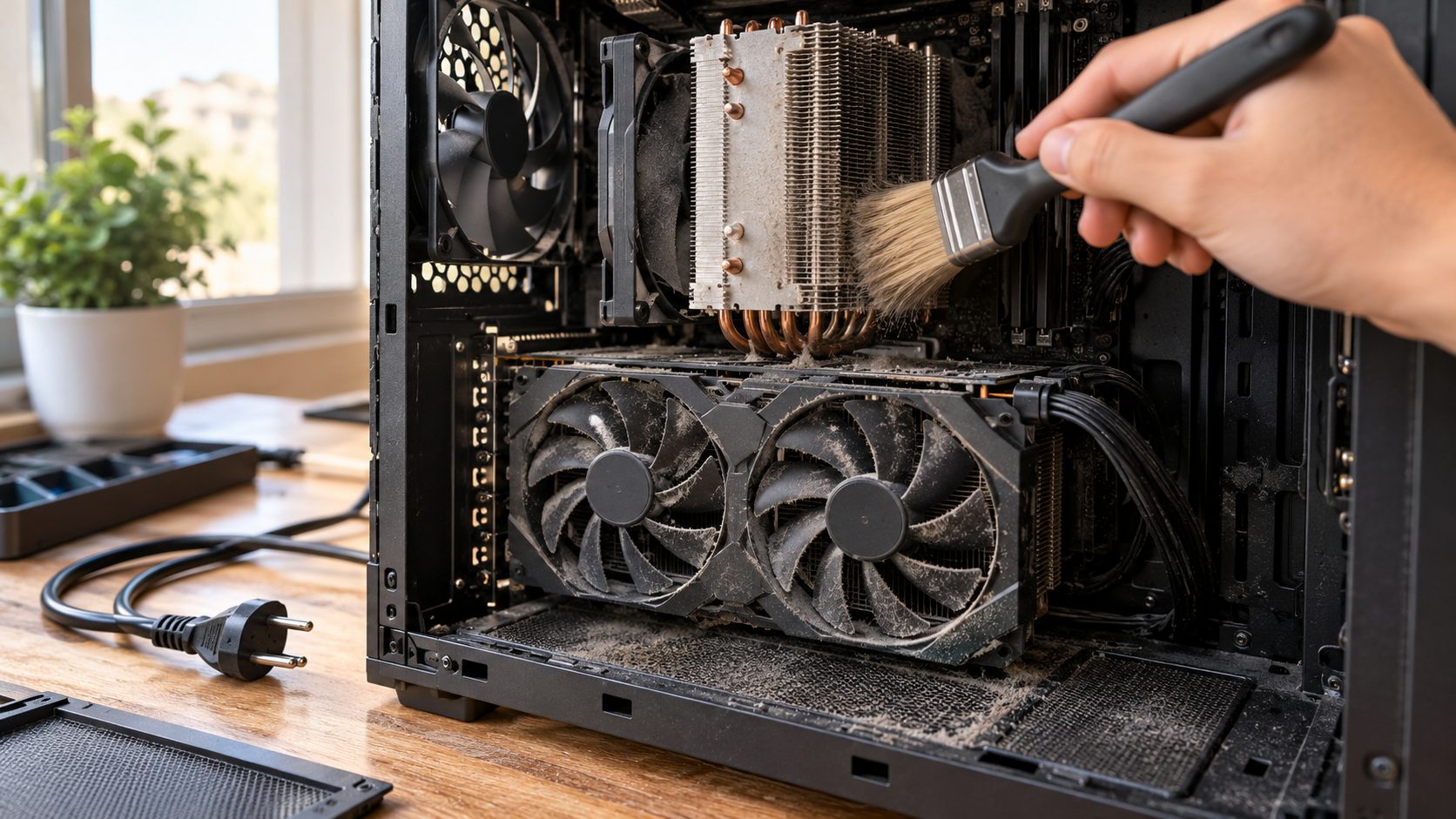
Log CPU and GPU temperatures with HWiNFO, which records to a file without an overlay, and compare the peaks with the chip maker’s spec. Unplug the PC and clear dust from filters, heatsinks and fans. If the whole PC shuts off, check the power supply’s wattage against your hardware.
A frame-rate cap, V-Sync or a lower preset cuts GPU load and heat; if the game then looks soft, see our blurry game guide.
Page file and free space
If “why is my game crashing” comes with an out-of-memory message, check the page file. Windows can commit only your RAM plus the page file, so with it off or C: nearly full, a RAM-hungry game can crash. Run sysdm.cpl, open Advanced > Performance Settings > Advanced > Virtual memory > Change and tick Automatically manage paging file size for all drives. The file can grow to about three times your RAM, so keep C: roomy.
Clean-Reinstall the Driver, Then Strip Out Overlays
If your “why is my game crashing” problem began after a driver update, open Device Manager > Display adapters, double-click the card and choose Driver > Roll Back Driver. Greyed out? Install the previous version from the GPU maker. Otherwise, clean-reinstall the driver.
AMD’s Cleanup Utility, best run in Safe Mode, removes AMD graphics drivers but not chipset drivers; a brief blank screen is normal. NVIDIA’s standalone installer has Custom (Advanced) > Perform a clean installation. Third-party DDU also works; run it in Safe Mode, offline. Leave the TDR registry keys alone; they’re meant for testing.
Overlays and background tools
Common suspects: Discord, Steam, NVIDIA and AMD overlays, Afterburner with RivaTuner, and RGB or monitoring apps. Turn each off, or rule them all out with a clean boot:
Pause services
Run msconfig. On Services, tick Hide all Microsoft services, Disable all, then re-tick the game’s anti-cheat (such as EasyAntiCheat) and launcher services so it can start.
Stop startup apps
On Startup, open Task Manager and disable each item, noting which.
Restart and play
Click OK and restart. Open the launcher by hand and play to the usual crash point.
Find it, then undo
Crash gone? Re-enable items in halves. Finish with General > Normal startup and Services > Enable all, then turn your startup apps back on.
Don’t turn antivirus off to test. For a store-bought game, exclude its folder under Windows Security > Virus & threat protection > Manage settings > Exclusions, and remove the exclusion if nothing changes.
Repair the Game: Files, Patches, Mods and Saves
When one title crashes and the rest don’t, the answer to “why is my game crashing” usually sits inside that game. Install the latest patch and check the developer’s known issues.
In Steam, right-click the game > Properties > Installed Files > Verify integrity of game files; Valve says a few files failing is normal. It also overwrites modded files. The EA app has Library > Manage > Repair, Epic has Manage > Verify in the three-dot menu, and the Xbox app has Manage > Files > Verify and repair.
Remove mods and test another Windows user account; if the game runs there, the cause is in your profile. A vcruntime140.dll or msvcp140.dll faulting module calls for Microsoft’s latest Visual C++ v14 Redistributable, both x64 and x86. If many apps crash, run these in an admin Command Prompt, DISM first:DISM.exe /Online /Cleanup-image /Restorehealthsfc /scannow
Still crashing? Back up local saves if the game has no cloud sync, then reinstall it. Last resort: System Restore, if it was on before the crashes began; it removes apps and drivers installed since but keeps personal files.
Why Is My Game Crashing on PS5, Xbox or Switch?
On a console, “why is my game crashing” has a shorter list of answers: update the game and system, unplug spare USB devices, power cycle, and move the game to internal storage if it’s on an external drive.
PS5
Hold power three seconds to turn it off (longer if frozen), unplug it for a minute, then turn it on. For CE-108255-1, update the game. In Safe Mode (from off, hold power until the second beep; controller on USB, press PS), try Clear Cache and Rebuild Database. Avoid Reset PS5: it deletes all user data.
Xbox
Hold the Xbox button on the console about 10 seconds, unplug it for a minute, then turn it on. Next, reinstall the game or use Profile & system > Settings > System > Console info > Reset console > Reset and keep my games & apps, never Reset and remove everything.
Switch
Hold POWER 3 seconds and choose Power Options > Restart, or hold it 12 seconds if frozen. Then install the latest system update and use licensed accessories.
Frequently Asked Questions
Why is my game crashing when my other games run fine?
That points to the game, not your hardware. Verify its files, remove mods and test another Windows or Xbox profile.
Why is my game crashing at random?
Usually unstable hardware: an overclock, XMP/EXPO, heat, power or, on Intel 13th and 14th Gen desktops, the CPU itself.
Why is my game not responding, and should I end it?
Windows flags a window Not Responding after about 5 seconds without handling input, so long loads and shader compiles can trigger it. Give it a minute; ending it in Task Manager loses unsaved progress.
Why is my game crashing and restarting my PC?
It’s a system-level crash. Event 41 with BugcheckCode 0 often points to power or heat, unless you held the power button; other codes are Stop errors.
Why Is My Game Crashing? Let the Crash Type Decide
Name the crash, read the faulting module, then rule out one layer at a time, so “why is my game crashing” stops being a guess.
Still stuck? Send the developer your logs, driver version and specs. Our gaming guides cover related fixes, such as a game that’s muted.

Leave a comment