

Why Is My Laptop Time Wrong? Fix the Time Zone, Sync and Clock
How far off the clock is tells you the cause. Fix the time zone, daylight saving, a dual-boot clash, a failing sync or the CMOS battery on Windows 11 and 10.

Why is my laptop time wrong when Windows sets the clock itself? Usually it’s the time zone or daylight saving setting, a stalled sync, a dying clock battery or a Linux dual boot. How far off the clock is tells you which.
The steps cover Windows 11 and 10, on laptops and desktop PCs alike.
Why Is My Laptop Time Wrong? Match the Pattern to the Cause
Hours off, or hours plus 30 or 45 minutes, point to the time zone, daylight saving or dual boot; growing minutes point to a failing sync. Sync now can’t fix a wrong zone: time servers send UTC, and Windows applies your zone on top.
| What you see | Likely cause |
|---|---|
| Exactly 1 hour off | Daylight saving setting or outdated rules |
| Hours off, or hours and 30 minutes | Wrong time zone |
| Hours off after using Linux | Windows and Linux clash |
| Minutes off and growing | Sync failing or blocked |
| Old date after shutdown | CMOS battery |
| Random jumps | An app changing the clock |
Off by Hours: Fix the Time Zone and Daylight Saving
Why is my laptop time wrong by a steady, neat number of hours? The zone or daylight saving rule is off (in India, Newfoundland or central Australia, the gap includes 30 minutes). These steps follow Microsoft’s time settings guide:
- Open Start > Settings > Time & language > Date & time.
- Turn on Set time automatically and Set time zone automatically; Windows then handles daylight saving itself.
- Zone still wrong? Turn off Set time zone automatically and pick yours from the Time zone list, which stays grayed out while the automatic option is on.
- With a manual zone, turn on Adjust for daylight saving time automatically if your area changes its clocks.
Same-offset zones can differ: Arizona and Brisbane skip daylight saving, while Mountain Time and Sydney observe it. In the UK, pick Dublin, Edinburgh, Lisbon, London, not Coordinated Universal Time. Windows updates carry new daylight saving rules, so install pending ones.
“Set time zone automatically” is grayed out or wrong
Why is my laptop time wrong after a trip? Automatic time zone needs location services: on Windows 11, an administrator turns on Location services in Settings > Privacy & security > Location; on Windows 10, use Settings > Privacy > Location > Change.
Windows locates you partly by IP address (Microsoft’s location service page), so a VPN can put the zone in the server’s region; set it by hand while connected.
Dual-Booting Linux? Stop Windows and Linux Fighting Over the Clock
Why is my laptop time wrong only after I’ve used Linux? Windows keeps the hardware clock in local time and Linux in UTC, so after each sync the clock jumps by your UTC offset (5 h 30 min in India). Apply one fix, not both; the Arch Wiki recommends Option B.
Option A: Linux keeps local time
In Linux, run:timedatectl set-local-rtc 1 --adjust-system-clock
The systemd manual calls this mode “not fully supported”, citing time zone and daylight saving problems; timedatectl set-local-rtc 0 undoes it.
Option B: Windows keeps UTC
A wrong registry change can break more than the clock, so export the key first (File > Export in Registry Editor).
Open regedit and paste this path into its address bar:HKEY_LOCAL_MACHINE\
Right-click the right pane, choose New > DWORD (32-bit) Value, name it RealTimeIsUniversal, set it to 1 and restart. If Windows later offers a daylight saving clock update, let it; the hardware clock stays on UTC. Microsoft doesn’t document this value; guides that use a QWORD also set it to 1.
Off by Minutes: Force a Sync and Confirm It Worked
Why is my laptop time wrong by a few minutes that keep growing? A home PC checks the time server every few hours at best, or not for days if the time service is stopped.
The commands need an admin Command Prompt: search cmd, right-click Command Prompt, choose Run as administrator. Error 0x80070426, “The service has not been started”? Run net start w32time and retry.
Click Sync now
Date & time > Sync now (Windows 11: under Additional settings), or timedate.cpl > Internet Time > Change settings > Update now.
Resync as admin
Run w32tm /resync, or w32tm /resync /rediscover to detect time sources first.
Confirm it worked
If w32tm /query /status shows Source: Local CMOS Clock, no server sync has happened yet. On NIST’s time.gov, “Your clock is off by” should be near zero.
A resync may not fix it: by default, a home PC won’t correct a gap over 15 hours (54,000 seconds). Turn off Set time automatically, enter the date via Change next to Set the date and time, then turn automatic time back on.
Windows 11 Won’t Sync Time: Server, Network and Blocked-Sync Fixes
Why is my laptop time wrong when Set time automatically is already on? Sync is failing. Work or school laptop? Skip to the work section; these steps can override your organization’s time source.
- Change the time server. In timedate.cpl > Internet Time > Change settings, enter time.nist.gov or pool.ntp.org and click Update now. Advanced: set three servers (Microsoft’s advice), then resync:
w32tm /config /manualpeerlist:"time.nist.gov,0x8 pool.ntp.org,0x8 time.windows.com,0x8" /syncfromflags:manual /update - Try another network. Some hotel, school and office networks or VPNs block sync’s UDP port 123; if a phone hotspot fixes it, blame the network.
- Undo privacy tweaks. Debloat tools can set NoSync or disable the Enable Windows NTP Client policy. In
w32tm /query /configuration, Type should be NTP (NT5DS is normal on work laptops), and NtpClient shouldn’t show Enabled: 0 (Policy). - Check the service. In services.msc, Windows Time shouldn’t be Disabled. Manual (Trigger Start) is fine, but it must be running for w32tm.
- Last resort: re-register it (not on a work laptop). Run
net stop w32time,w32tm /unregister,w32tm /registerandnet start w32timeto restore defaults, then resync. If/registerfails, restart and run it again. - Why is my laptop time wrong at random moments? Something is changing it: in Event Viewer, filter Windows Logs > Security for event 4616, which names the process. Svchost.exe under LOCAL SERVICE is Windows Time, and your own Settings changes show too; look for unfamiliar programs.
Why Is My Laptop Time Wrong After Every Shutdown? Check the BIOS Clock
A coin cell keeps the real-time clock (and on some boards a few settings) running without main power; when it dies, the clock resets whenever all power is removed. Why is my laptop time wrong only after the main battery ran flat? Either the cell is weak, or the laptop has no separate cell, so the reset is normal.
Check first: hold Shift while clicking Shut down, then enter BIOS or UEFI setup at startup (usually Del or F2; F10 on HP). An old date there points to the cell; if only Windows is wrong, revisit the sections above. On dual-boot or Option B laptops, setup shows UTC, as expected.
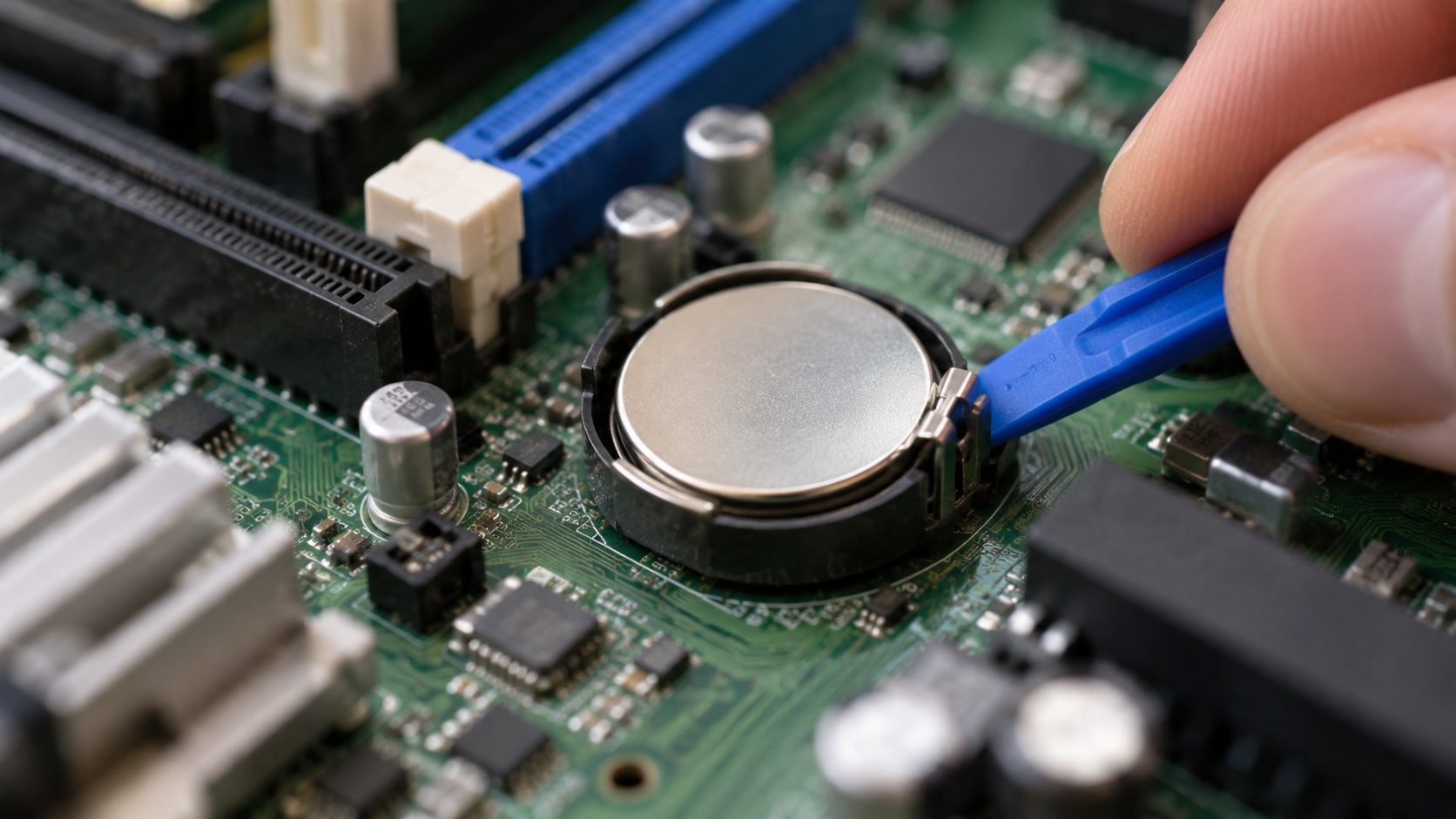
Desktops usually hold the cell (often a CR2032) in a socket; unplug the PC first. Many thin laptops have it soldered or under the main battery, so use a repair shop. Removing it can reset BIOS settings: keep any BitLocker recovery key handy, and reset the date and time in setup.
Work or School Laptop? Your Organization Sets the Clock
Why is my laptop time wrong on a work machine with grayed-out settings? It’s probably managed (IT can lock it with the AllowDateTime policy), so contact IT. Domain laptops sync from a domain controller (w32tm /query /configuration shows Type: NT5DS).
The 5-minute limit
By default, Kerberos sign-in tolerates 5 minutes of clock difference; beyond that, it can fail.
Don’t swap servers
Another time source lets the clock drift from the domain controller, breaking sign-in, printing and file sharing.
Laptop Clock Problems: Common Questions
Why is my laptop time wrong by exactly one hour?
Usually daylight saving: the toggle is off on a manual zone, you picked a zone with the same offset but different rules, or an unpatched laptop has old rules.
Why is my laptop time wrong even after I click Sync now?
Sync fixes drift, not the zone, so hours off need the time zone fixes; over 15 hours off, set the date by hand first.
Can a wrong laptop clock stop websites and sign-ins from working?
Yes. Certificates are valid only between set dates, so Chrome shows “Your clock is behind” or “Your clock is ahead” (NET::ERR_CERT_DATE_INVALID). Work sign-ins can fail past the 5-minute limit above.
Why is my laptop time wrong on a MacBook?
On macOS Ventura and later, open System Settings > General > Date & Time and turn on Set time and date automatically and Set time zone automatically using your current location. Zone not updating? Enable Privacy & Security > Location Services, then Setting time zone under System Services.
Fix It in This Order
Why is my laptop time wrong? Read the size of the error: hours (or hours and a half) mean zone settings or dual boot, growing minutes mean sync, and an old date after shutdown means the coin cell. Start with Settings, then w32tm, and open the case only if the BIOS clock is wrong too.
More laptop fixes: a laptop that’s too quiet, a blurry laptop wallpaper and the rest of our computer guides.


Leave a comment