

Chrome Keeps Refreshing Tabs? Stop Memory Saver and Other Reloads
Find out why tabs reload when you return, keep the sites you need active, rule out extensions, redirect loops and network drops, and see what phones let you change.

When Chrome keeps refreshing, the page is rarely reloading at random. Most often, Chrome has unloaded an idle tab to save memory and reloads it when you return. Otherwise it’s an extension, the site, your connection or a phone short on memory. The checks below start with ones that change nothing.
Why Chrome Keeps Refreshing: Old Tab, Live Page or Loop?
If Chrome keeps refreshing only tabs you left a while ago, they were discarded: Chrome removed the page but kept its title and icon, so it looked normal until clicked. A reload while you watch points to an extension or the site’s own code.
| What you see | Likely cause | Go to |
|---|---|---|
| Old tab reloads when you click back | Tab discarded by Memory Saver or low RAM | Memory Saver |
| Page reloads while you watch it | An extension or the site’s own timer | Extensions |
| Loop, then ERR_TOO_MANY_REDIRECTS | Redirect loop, usually that site’s cookies | Website |
| ERR_NETWORK_CHANGED or ERR_INTERNET_DISCONNECTED flashes, then a reload | Connection or VPN keeps changing | Network |
| “Aw, Snap!” and then a reload | The tab crashed | Website |
| Reloads after switching apps or tabs on a phone | Phone low on memory | Phones |
Memory Saver Is the Usual Reason Chrome Keeps Refreshing Tabs
Memory Saver deactivates tabs you aren’t using, and per Google’s Memory Saver help page, an inactive tab reloads automatically when you return. It exists on Windows, Mac, Linux and ChromeOS. Confirm it first:
- Select More (the three-dot menu) > Settings > Performance.
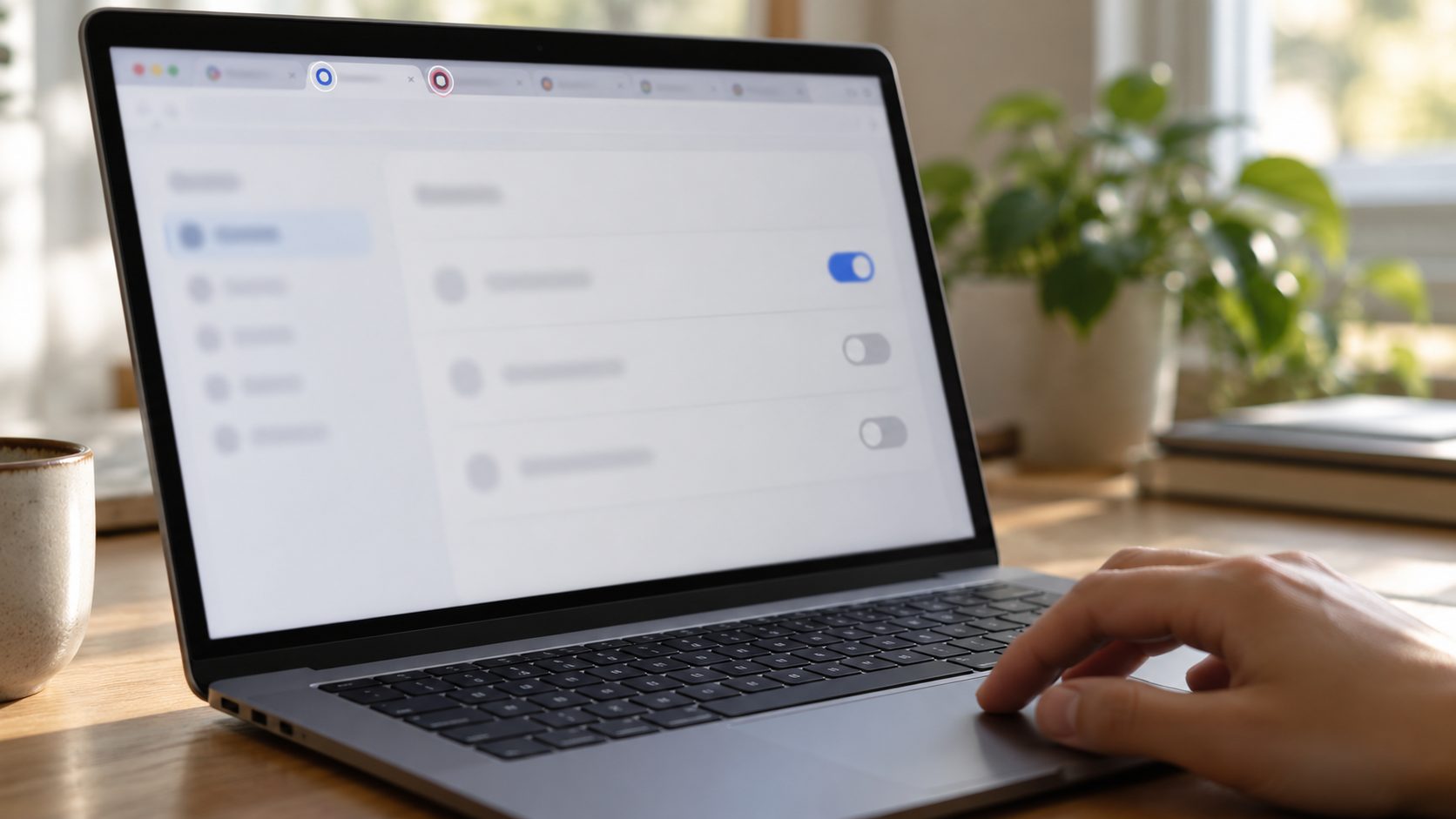
- Turn on Inactive tabs appearance. Deactivated tabs now show a ring around their icon.
Do the reloads hit only ringed tabs? Then deactivation is why Chrome keeps refreshing them. If Memory Saver is already off, low memory or an alert is the likelier trigger.
To stop it, switch Memory Saver off there, or soften it: Moderate waits longest, Balanced is Google’s recommended level, and Maximum acts soonest. Google gives no exact times; older versions had only on and off.
Chrome tries not to deactivate tabs with partly filled forms, but there’s no guarantee, and a discarded page can’t warn you first. Copy long drafts before switching away.
Keep One Site Active Instead of Turning Memory Saver Off
To keep only key sites loaded, such as webmail or a work dashboard, exempt them and leave Memory Saver on.
- Go to Settings > Performance.
- Next to Always keep these sites active, select Add.
- Choose Add current sites to pick open tabs, or Add sites manually to type an address.
Whole site
google.com also covers subdomains such as drive.google.com.
No subdomains
A leading dot, as in .google.com, leaves subdomains out.
One section
A path, as in www.google.com/finance, limits the rule to that section.
Wildcards
https://* and youtube.com/watch?v=* work; partial wildcards such as *oogle.com or google.com/* don’t.
Chrome also spares tabs that are pinned, playing audio or video, on a call, sharing your screen, sending notifications, downloading, holding a partly filled form or using a USB or Bluetooth device. To pin one, right-click the tab and choose Pin.
Tabs Still Reload With Memory Saver Off? Check RAM, Alerts and Policies
Chrome can also discard background tabs when the computer runs low on memory, starting with tabs you haven’t viewed in a while; pinned tabs go last, and the tab you’re looking at isn’t discarded. If Chrome keeps refreshing tabs with Memory Saver off, free up memory first.
- Find the memory hogs. Open More > More tools > Task manager (Shift + Esc on Windows) and sort by Memory footprint. Ending a task loses its unsaved work.
- Watch for “Fix now”. Performance issue alerts (on by default under Settings > Performance > General) suggest deactivating tabs when Chrome slows, and Fix now does it. Turn them off if you click it by habit.
- Check for a managed browser. If the Memory Saver switch is grayed out, look for Managed by your organization at the bottom of the three-dot menu. IT may have forced Memory Saver on;
chrome://policylists the policies applied.
When Energy Saver is active (unplugged or at low battery, per your setting), it stops eligible CPU-heavy background tabs; to resume them, select its icon next to the address bar, then Turn off now. Pages hidden over 5 minutes may also run repeating script timers only once a minute: a stalled dashboard is throttled, not reloaded.
Extensions That Reload or Suspend Your Tabs
If Chrome keeps refreshing a page while you’re looking at it, suspect an extension or the site; extensions are quicker to rule out. Auto-refresh tools reload pages on a timer, and tab suspenders unload idle tabs.
- Open the page in an Incognito window (Ctrl + Shift + N; Command + Shift + N on a Mac), where extensions are off unless you’ve allowed them.
- If it behaves, the cause is an extension or the site’s stored data. Open More > Extensions > Manage Extensions and turn them off one at a time, testing after each.
- Remove the culprit or change its settings. If none is to blame, clear the site’s data (see the website section).
Unwanted software is the suspect when Chrome keeps refreshing on its own and opens unfamiliar pages, or a removed extension comes back. Uninstall programs you don’t recognize: on Windows 11, Settings > Apps > Installed apps; on Windows 10, Settings > Apps > Apps & features; on a Mac, the Applications folder.
As a last resort, use Settings > Reset settings > Restore settings to their original defaults; it turns off extensions and clears cookies (signing you out of sites) but keeps bookmarks and passwords. Our guide to Chrome switching to Yahoo covers the full cleanup.
When a Website Keeps Refreshing or Your Connection Drops
Sometimes Chrome keeps refreshing a page because the page asks it to: live scores, news pages and dashboards often reload on a timer. Chrome has no switch that blocks only auto-refresh, so look for the site’s own auto-refresh toggle.
If Chrome keeps refreshing a site in a loop and then shows ERR_TOO_MANY_REDIRECTS, try Incognito first; if it loops there too, the fault is the site’s. If it loads, Google’s redirect-loop fix applies: delete that site’s cookies. Typechrome://settings/content/all
in the address bar, search for the site and select its trash-can icon. This signs you out and resets permissions for the site and its subdomains; if the loop passes through a separate sign-in page, clear that domain too.
If Chrome keeps refreshing an error page such as ERR_NETWORK_CHANGED, suspect your connection, not the site. Google says that error means the device disconnected or joined a new network mid-load, and Chrome retries failed pages on its own. Disconnect your VPN to test, disable unused virtual adapters (Hyper-V, VirtualBox, Docker; re-enable them later), and reconnect Wi-Fi or restart the router.
“Aw, Snap!” before a reload is a crash, which Google says can mean the computer ran out of memory; if it repeats, see our guide to Chrome crashing and freezing.
Chrome Keeps Refreshing on Android or iPhone
Mobile Chrome has no Memory Saver or keep-active list; Google says those are desktop-only. When a phone needs memory for the app in front, it closes background apps, and Chrome reloads your tab later. You can reduce this, not stop it.
Tabs that vanish rather than reload are a separate feature, Inactive tabs. Android moves tabs unused for 14 days or more to Switch tabs > Inactive tabs; to stop that, set More > Settings > Tabs and tab groups > Move to inactive section to Never. Items there close after 6 months unless you turn off Automatically close inactive items. On iPhone, set More > Settings > Tabs and tab groups > Inactive to Never move.

Android
Android’s low-memory killer ends background apps first, and it can also end the process behind a Chrome tab you aren’t viewing. Fewer open tabs means fewer reloads.
If Chrome keeps refreshing after every app switch and you’ve ever enabled Developer options, turn off Don’t keep activities, which destroys each activity as soon as you leave it, and set Background process limit to Standard limit.
Some makers’ battery managers, such as Samsung’s Deep sleeping apps list, close background apps aggressively. In Chrome’s App info > App battery usage (Pixel) or Battery (Samsung), choose Optimized or Unrestricted, not Restricted, and keep Chrome off sleeping-apps lists.
iPhone and iPad
When Chrome keeps refreshing on an iPhone, iOS is usually reclaiming memory: Apple says the system terminates background apps as needed. It can also end a page’s web process, and Chrome then reloads it. If one site reloads while you watch, see the website section.
Steps That Help on Any Phone
Trim the load
Close tabs you don’t need, inactive ones included, and run fewer apps at once.
Update
Update Chrome from Google Play or the App Store, plus any system update.
Restart
Restart the phone to clear apps holding memory.
Frequently Asked Questions
Does turning off Memory Saver stop every reload?
No. If Chrome keeps refreshing old tabs with it off, low memory or an accepted Fix now alert is the usual reason. Close heavy tabs and run fewer programs.
How do I keep a tab or page active in Chrome?
Pin it, or add the site under Settings > Performance > Always keep these sites active. Neither stops a hidden page from being throttled.
Chrome keeps refreshing on my phone. Can I turn that off?
Not fully. Android and iOS close background apps when memory runs short, and phones have no Memory Saver to adjust. Fewer tabs and apps, updates and a restart help.
Why does YouTube or one website keep reloading?
When Chrome keeps refreshing just one site, the usual causes are an extension, the site’s own auto-refresh, an expired session or a cookie loop. If Incognito works, test extensions, then delete that site’s cookies.
Fix It in This Order
Confirm the cause with the inactive-tab ring, then exempt key sites before turning Memory Saver off. If Chrome keeps refreshing after that, check memory and Fix now alerts, then extensions, the site’s cookies and your connection. On phones, fewer tabs, updates and a restart are the realistic fix. More in our software and apps guides.


Leave a comment